
How to Fix Schema Entries With No @id (Permanent Identifier)
Your structured data describes your business, your website or a person without giving it a fixed name that other pages can point back at. Rebuilding the markup on those pages gives each one a permanent identifier.
In your report
Entries have no permanent identifier
What this means
In structured data, anything important can be given a fixed name of its own, called an @id. It works like an account number: once your business has one, every page can say "published by that business" by quoting the number, and a machine knows they all mean the same one.
Our check looks at three kinds of entry that should always have one: your business, your website and any person, such as an author or founder. This problem counts each of those it found described without an @id.
It usually comes from markup that was added by hand, by a theme, or by a plugin that describes the business on a page without naming it.
Why it matters for AI
Without a fixed name, nothing else on your site can point back at your business as the same business. Each page that mentions it reads as a separate, unrelated thing, so the details never add up to one picture.
The same goes for people: an author described on ten posts with no identifier looks like ten different authors.
Fix it with AI Schema Gen
Every step below is in the AI Schema Gen dashboard, whatever your site is built with. For the fixes to reach your pages, your site needs to be connected first: connect your site.
- 1
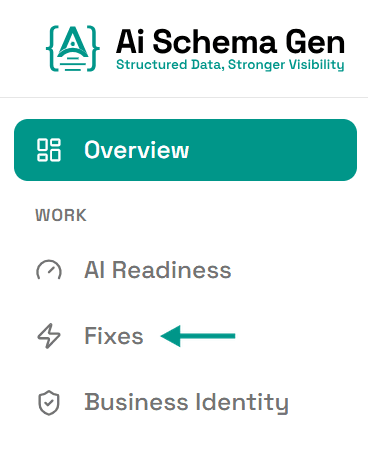
Open Fixes
In the menu on the left, click Fixes.
- 2
Fill in your business details first
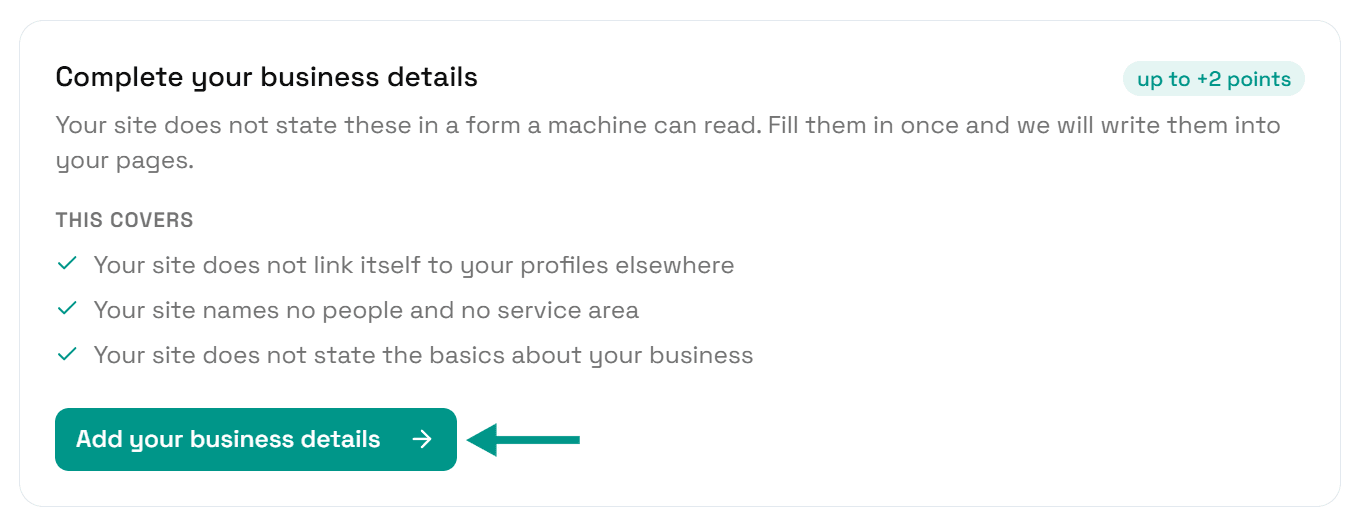
If Complete your business details is on the page, do that first: click Add your business details, fill in the form and click Save.
Saving puts one full description of your business on your homepage, with its own permanent identifier, for every other page to point at. The steps are in AI can't answer questions about your business.
- 3
Find the card and click Review structured data
Scroll down to Understand. The card ending no permanent identifier shows how many entries are affected and lists the first few pages.
Click Review structured data.
- 4
Tick the pages and click Auto Generate
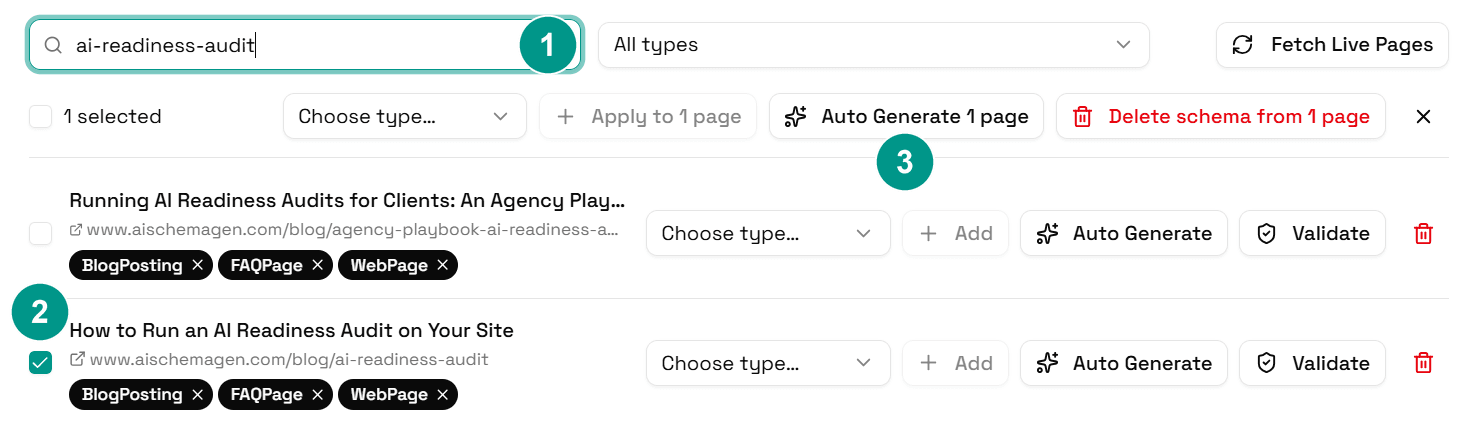
Schema Manager opens with every page of your site. Type a page from the card into Search pages (1) and tick the box next to it (2). Do the same for each page on the card.
Then click Auto Generate with the number of pages you ticked (3). We work out the right markup for each page again and replace what we put there before. In the new markup your business, your website and each named person carry a permanent identifier, the same one on every page.
- 5
Wait for it to finish
Each page shows Generating… while it is being rebuilt. When it finishes, the page lists its new schema types, and your live pages are updated.
- 6
Check again
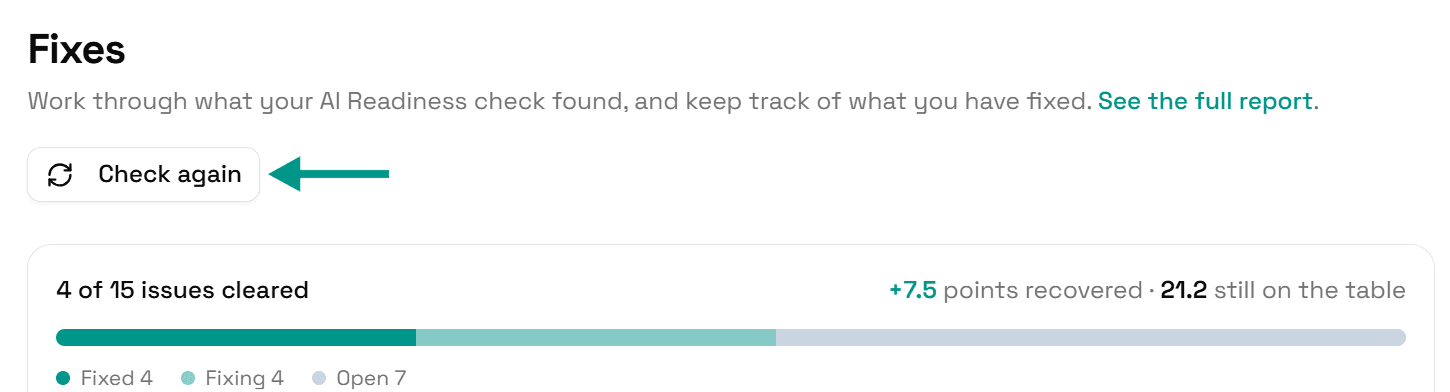
Go back to Fixes and click Check again. When every entry has an identifier, this problem moves to Resolved.
On WordPress
Our plugin replaces the markup AI Schema Gen puts on your pages, and takes out the parts of Yoast SEO or Rank Math markup that overlap with ours. Markup added by any other plugin, by your theme or by hand is not something we can change from the dashboard. If the problem is still listed after you generate, one of those is the likely source.
Check it worked
Run the free AI readiness check again once your pages are rebuilt. This problem should be gone from the Understand part of the report, or count fewer entries.
FAQ
Related fixes
- How to Connect Your Website to AI Schema Gen (WordPress, Next.js, Wix, Shopify and More)
- How to Fix Broken Schema References (When an @id Points at Nothing)
- How to Fix Orphaned Schema Entries (Described but Never Linked)
- How to Fix Conflicting Duplicate Schema Entries
- Why AI Can't Answer Basic Questions About Your Business, and How to Fix It
See what else your site needs
The free check lists every problem on your site in order of how much it costs you.
Check your site free